Like many blog owners, I also want to earn some passive income from my blog. Ads are the first thing that comes to mind. Usually, when you talk about ads, the first name that comes to mind is AdSense, but I did not want to distract my readers with intrusive ads. So I wanted something that wouldn’t interfere with the user experience. I had seen Carbon Ads, now BuySellAds, on some big tech blogs, and I really liked the idea of displaying ads in a sidebar. I applied and luckily got approved a few years ago. Since then, I have been using it.
BuySellAds provides a publisher dashboard where you can see how your site is doing. It provides info like clicks, impressions, CTR, eCPM, and potential earnings. They also provide a section where you can see zone-wise traffic. For instance, my blog has two ad placements: the sidebar and the sticky box, which give zone-wise traffic and earnings info.
A few weeks back, I wanted to learn which page was generating more revenue. Ideally, one would think that the page visited more often generated more; it makes sense for impressions/CPM but not clicks. I contacted BuySellAds about this data but got no response.
I had recently started exploring web tracking, which helps you to figure out the behavior of your site visitors by recording certain events. You record those events via Google Tag Manager, aka GTM, and send them to Google Analytics, aka GA4. There are some standard events, and then there are some custom events based on a standardized way of accessing site elements/components. An idea sparked: what if there were some way I could record ad clicks and impressions against a visited page?
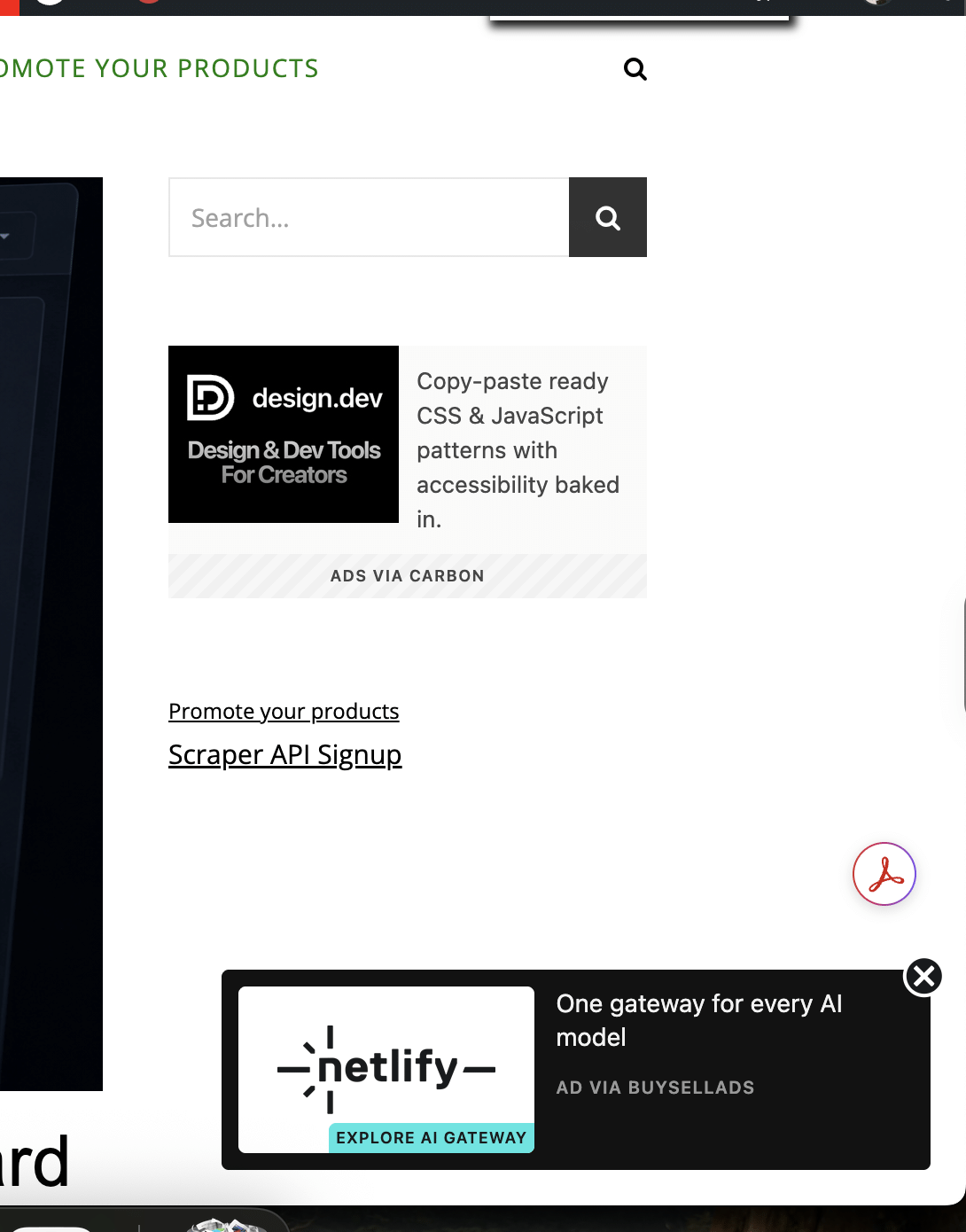
My site has two different ad placements: one in the right sidebar and another in a sticky div at the bottom. GTM provides ways to record click and view events; in order to do that, I needed to grab the HTML of those ads. For the sidebar, it looked something like this:
<div id="carbonads"><span>
<span class="carbon-wrap">
<a href="https://srv.carbonads.net/ads/click/x/xxx" class="carbon-img" target="_blank" rel="noopener sponsored">
<img src="https://srv.carbonads.net/static/xxx/xxx" alt="ads via Carbon" border="0" height="100" width="130" data-no-statview="no">
</a>
<a href="https://srv.carbonads.net/ads/click/x/GTND427YF6YD42JNCVSLYKQUFTAIP2QUCTSDKZ3JCAADL2JIC6SDV23KC6SD653YCEYD453JCESIE237CESIE277HEYI5537CT7DTK3ECTNCYBZ52K" class="carbon-text" target="_blank" rel="noopener sponsored">
Design and Development tips in your inbox. Every weekday.
</a>
</span>
<a href="http://carbonads.net/?utm_source=adnansiddiqime&utm_medium=ad_via_link&utm_campaign=in_unit&utm_term=carbon" class="carbon-poweredby" target="_blank" rel="noopener sponsored">ads via Carbon</a>
</span></div>
I need to fire two custom events on both Ad placements:
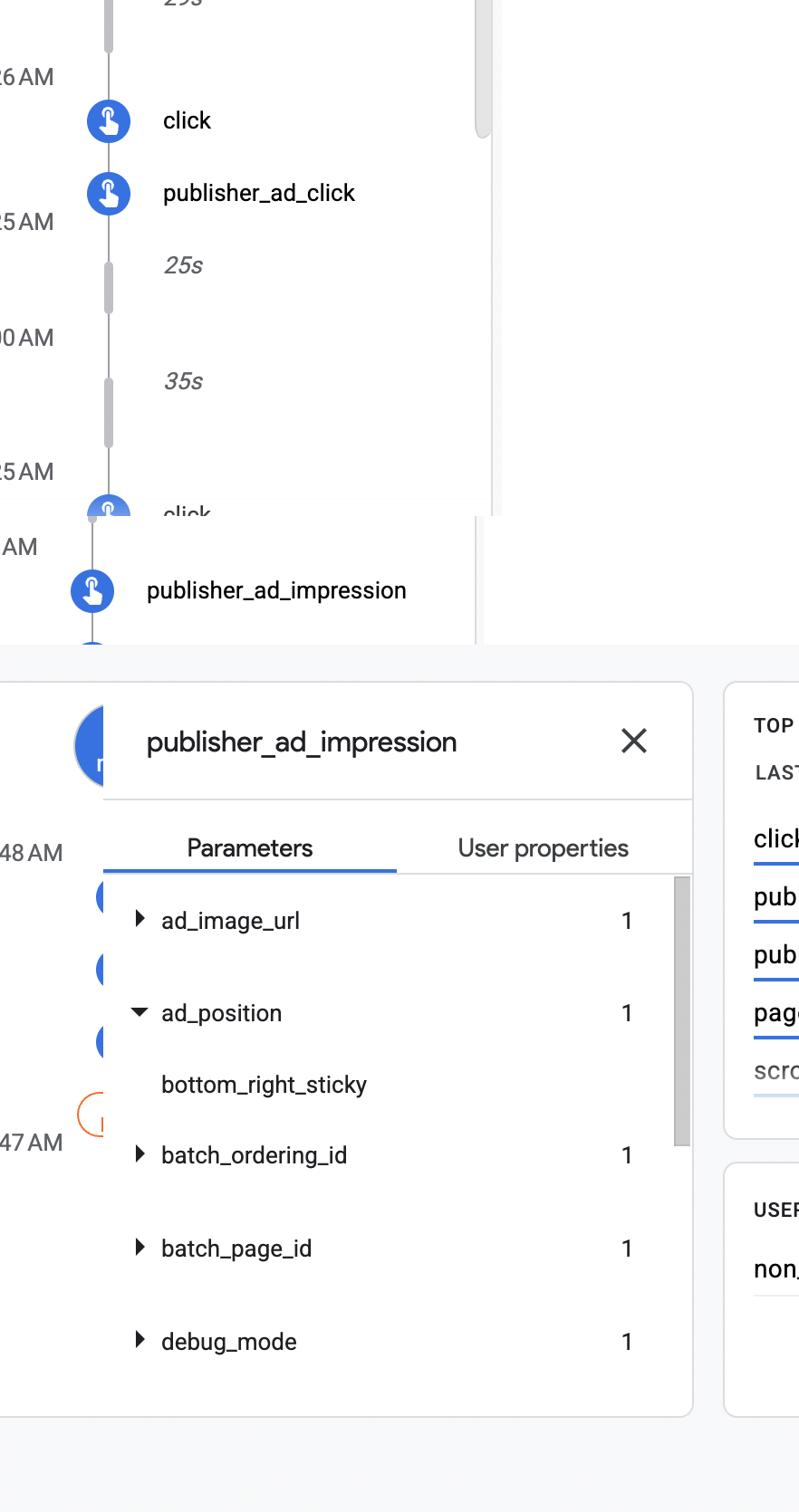
- publisher_ad_click with parameters: ad_position and ad_image_url
- publisher_ad_impression with parameters: ad_position and ad_image_url
ad_position is recording whether the event was fired for sidebar or stick while ad_image_url is grabbing the Ad URL. I will tell you in a while why I was grabbing the image URL and why I could not achieve what I wanted to achieve.
Anyways, GTM is using these tags for recording ad impressions and clicks:
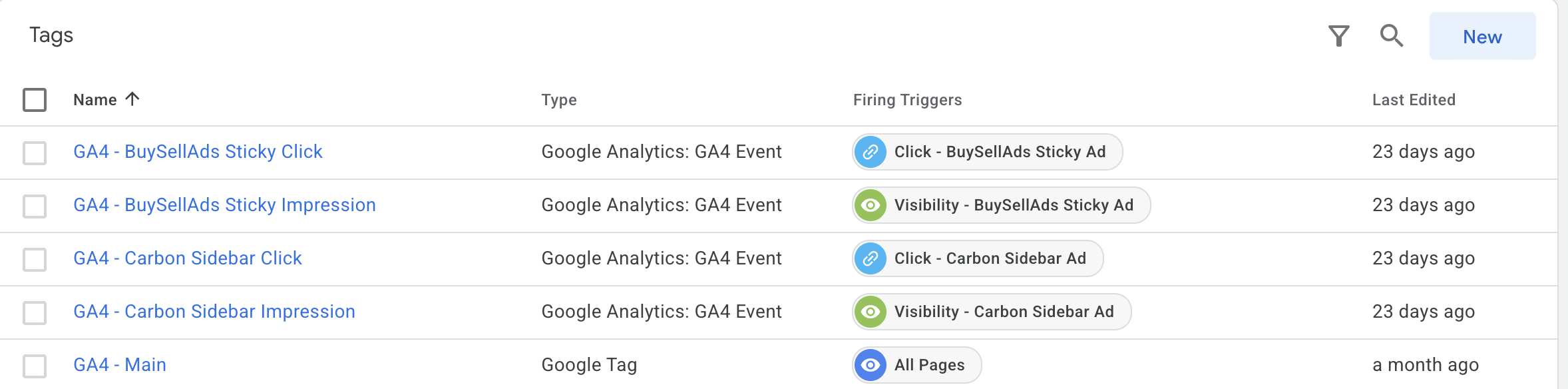
Below is a screenshot of the GA4 DebugView. As you can see, custom events are being fired, and it is also recording parameter values.
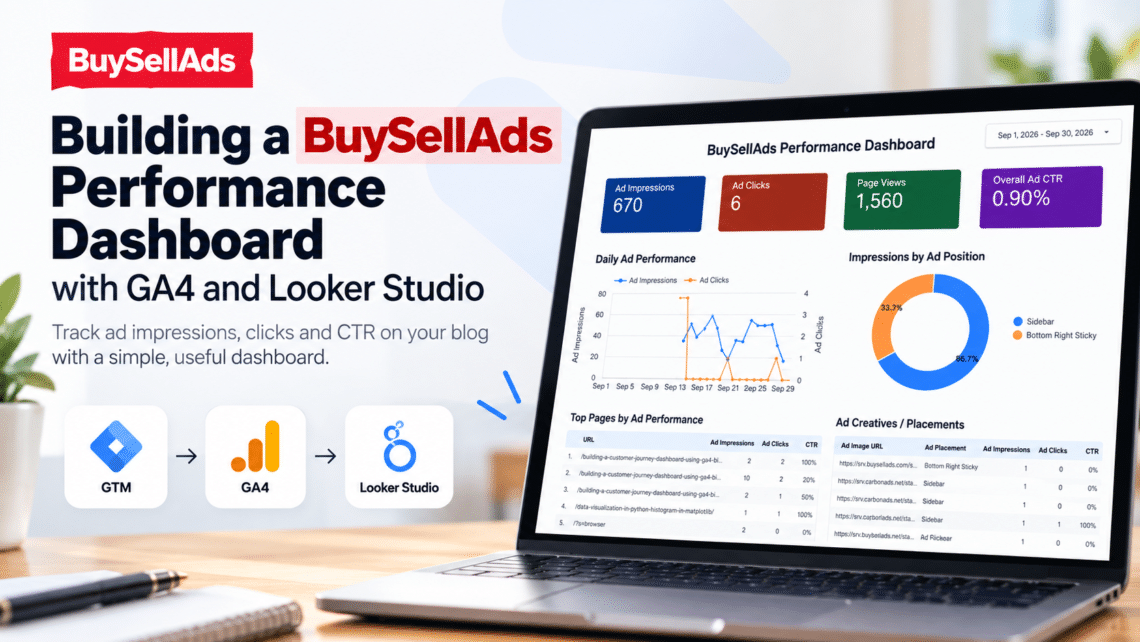
OK, the groundwork has been laid, and it was all done to build a dashboard that will show how Ads are performing on the site. The final dashboard looks like this:
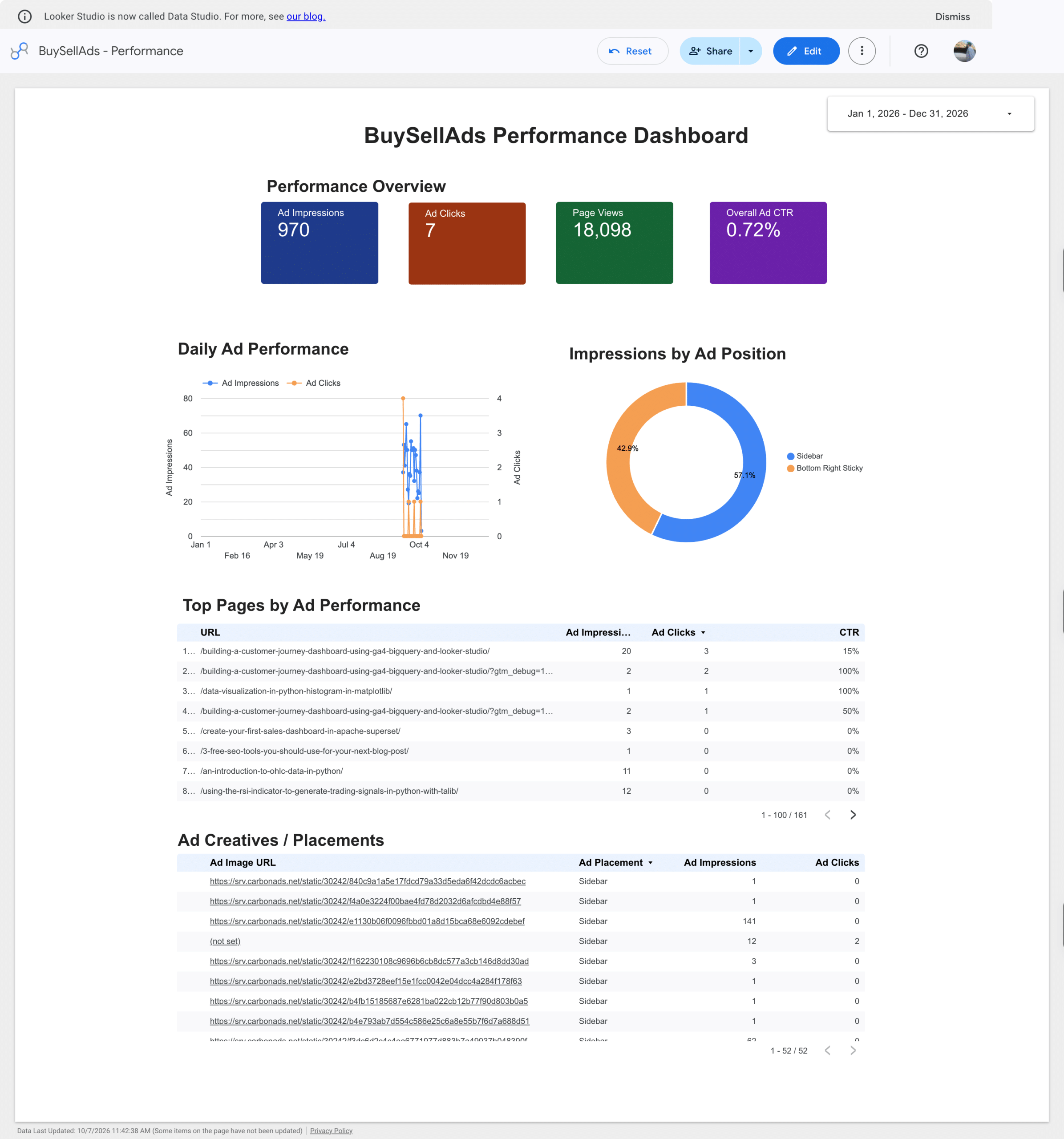
At the top, you get a summary of how ads are working, and then a couple of charts and tables.
Now I can get an idea at a glance of what kind of posts I should write more of so that more relevant people visit my site.
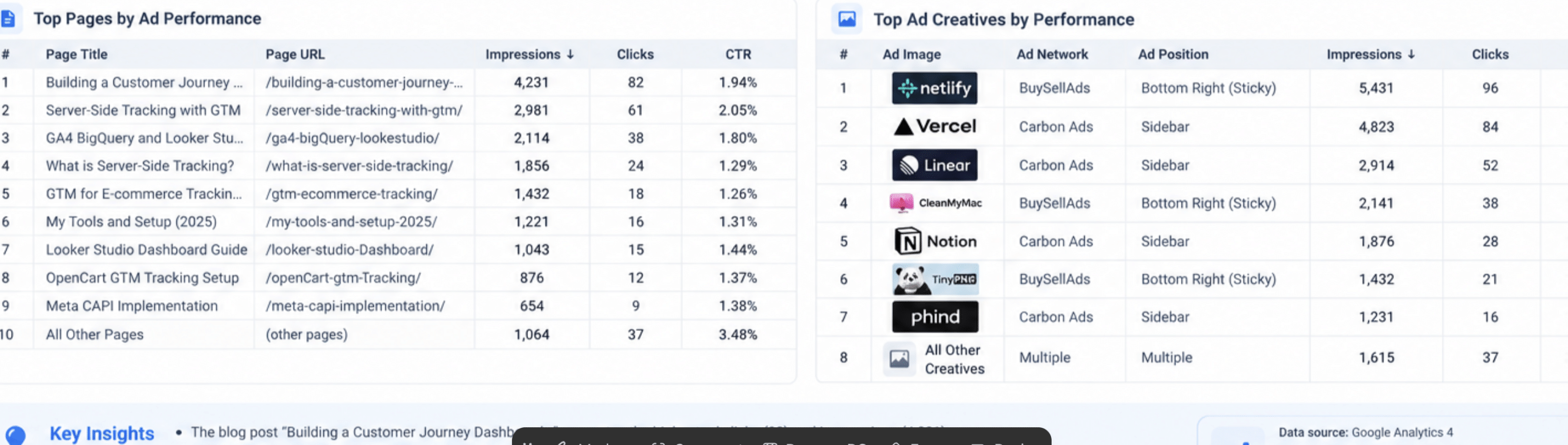
In the beginning, I told you that I am grabbing the ad’s image URL as well. Ideally, I wanted to make it look like the example below, but due to some restrictions within Looker Studio’s blended data, it was not rendering URLs, so I had no choice but to put URLs only. There was a workaround using BigQuery, but I did not want to go that route because it was serving the purpose.
Conclusion
Sometimes, a missing feature can inspire you to build something that meets your needs. This tool came from one such need. I hope you enjoyed reading this post. If you run ads through BuySellAds or another platform and want a clearer view of their performance, book a free discovery call through my Calendly link.